Changing Axis Order#
Users may want to specify the order of each axis in a hive plot.
Additionally, users may be interested in looking at a subset of possible axes for the current partition.
This notebook demonstrates how to handle both of these cases when working with a HivePlot instance.
[1]:
from hiveplotlib.datasets import example_hive_plot
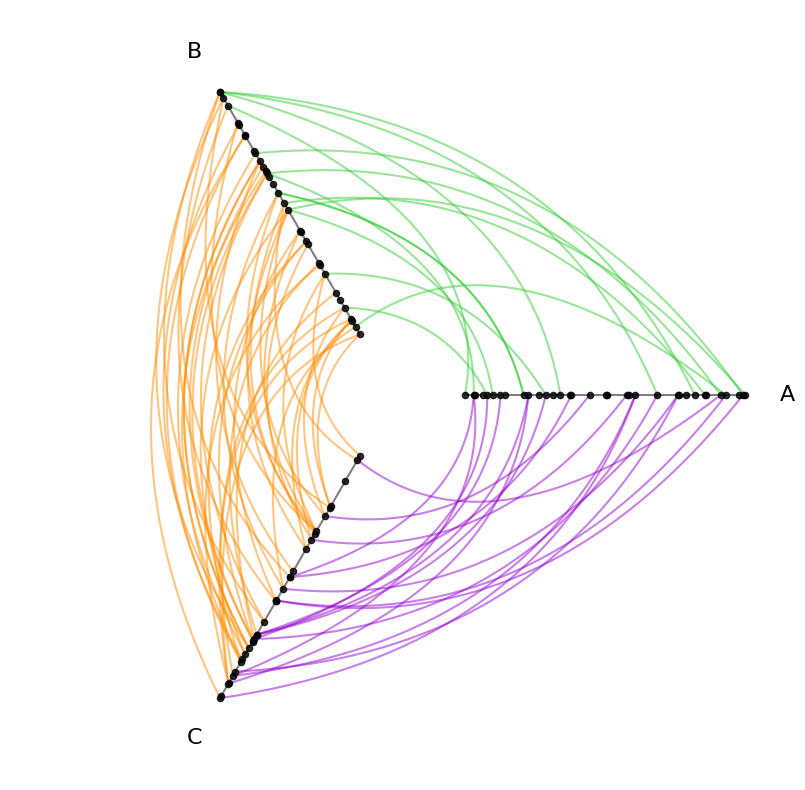
We will base this discussion on the following toy hive plot:
[2]:
# keep inter group edge colors consistent throughout notebook
INTER_EDGE_COLORS = {
    "A": {"B": "limegreen"},
    "B": {"C": "darkorange"},
    "C": {"A": "darkviolet"},
}

hp = example_hive_plot()
for p1 in INTER_EDGE_COLORS:
    for p2 in INTER_EDGE_COLORS[p1]:
        hp.update_edges(
            partition_id_1=p1,
            partition_id_2=p2,
            color=INTER_EDGE_COLORS[p1][p2],
        )

hp.plot();
Changing Order of All Partition Values#
Users can set the axes’ order both when instantiating a new HivePlot as well as on an existing HivePlot instance.
The axes names we provide will correspond to the values used to partition the nodes i.e. the partition_variable used from the node dataset.
[3]:
hp.nodes.data.head()
[3]:
| unique_id | low | med | high | partition_0 | |
|---|---|---|---|---|---|
| 0 | 0 | 6.363247 | 14.795079 | 23.193620 | B |
| 1 | 1 | 2.695169 | 12.321405 | 21.873202 | A |
| 2 | 2 | 0.409326 | 18.010787 | 26.718541 | A |
| 3 | 3 | 0.165111 | 19.226066 | 21.949123 | A |
| 4 | 4 | 8.124570 | 12.658641 | 25.771102 | C |
[4]:
sorted(hp.nodes.data[hp.partition_variable].unique())
[4]:
['A', 'B', 'C']
Thus for this example, we can only use the variables A, B, and C when setting the axes’ order.
Setting Order of Axes on Hive Plot Initialization#
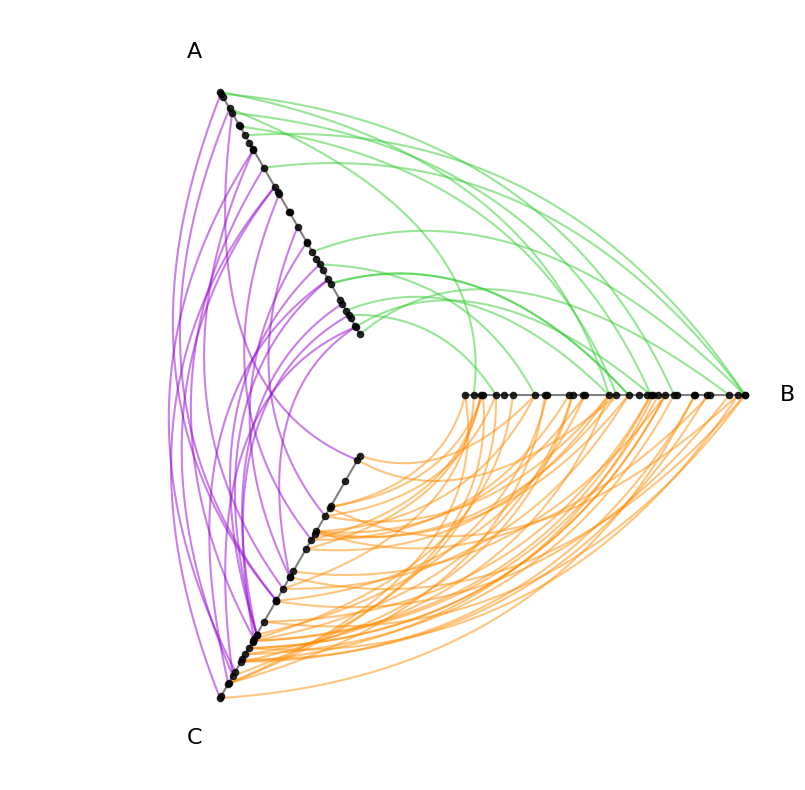
On initialization, we can set the axes_order parameter by providing these unique values from our partition data column in whatever order we choose.
[5]:
hp = example_hive_plot(
    axes_order=["B", "A", "C"],  # change order on initialization
)
# update edge colors same as above
for p1 in INTER_EDGE_COLORS:
    for p2 in INTER_EDGE_COLORS[p1]:
        hp.update_edges(
            partition_id_1=p1,
            partition_id_2=p2,
            color=INTER_EDGE_COLORS[p1][p2],
        )

hp.plot();
Changing Order of Axes on an Existing Hive Plot#
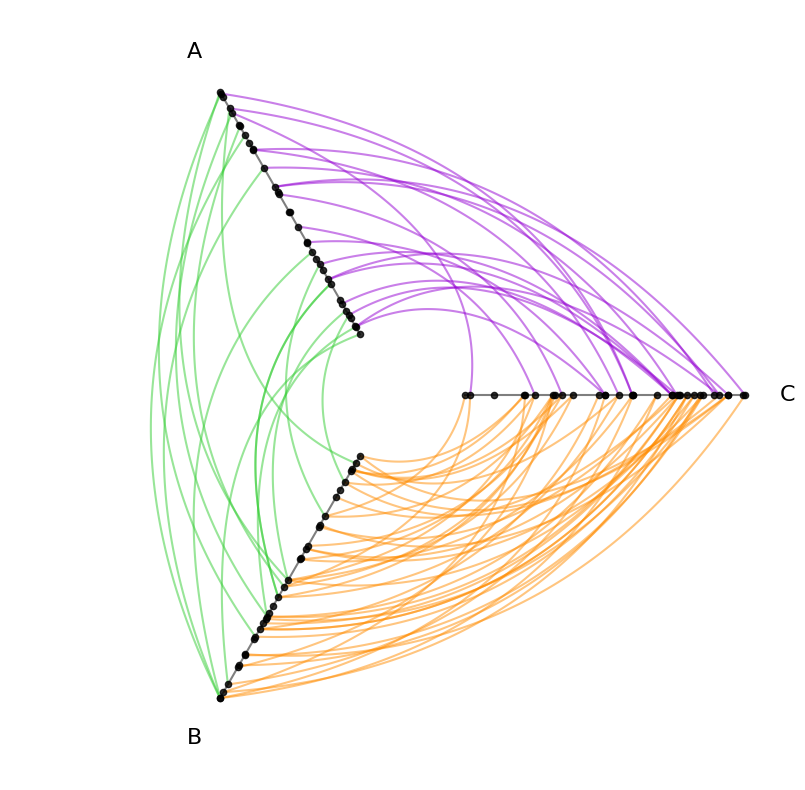
On an existing hive plot, we need only call the HivePlot.set_axes_order() method:
[6]:
hp.set_axes_order(axes=["C", "A", "B"])
hp.plot();
Using a Subset of Partition Values#
What if we want to show some, but not all of the partition values? For example, suppose there’s more than 3 partition values:
[7]:
hp = example_hive_plot(
    cutoffs=4,
    labels=["A", "B", "C", "D"],
)
hp.plot();

With more than 3 axes, we are only looking at a subset of the edges in the above hive plot, omitting any edges between A and C as well as B and D.
Solving this problem is discussed in greater detail on the Hive Plots with More Than 3 Groups page, but here we will only demonstrate how one can choose the axes order as a subset of these partition values.
Instantiating Hive Plot Using a Subset of Partition Values#
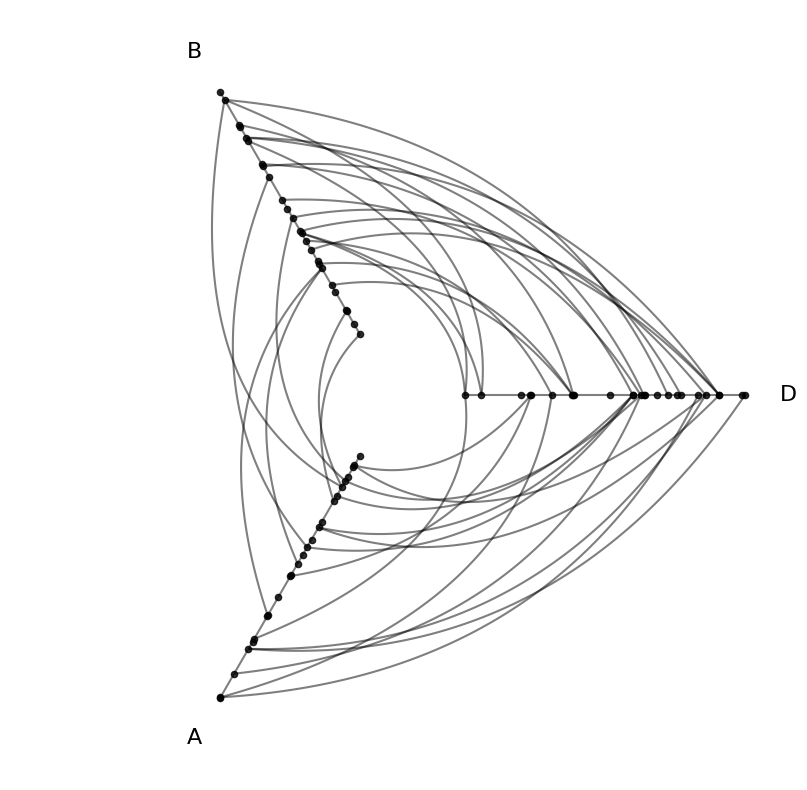
We can choose to instantiate the above example only choosing a subset of the values under the axes_order parameter:
[8]:
hp = example_hive_plot(
    cutoffs=4,
    labels=["A", "B", "C", "D"],
    axes_order=["D", "B", "A"],
)
hp.plot();

Updating an Existing Hive Plot Using a Subset of Partition Values#
For an existing hive plot, we cannot subset axes with a HivePlot.set_axes_order() call, but we can rerun HivePlot.set_partition() with the desired axes_order subset:
[9]:
import traceback

from hiveplotlib.exceptions import InvalidAxesOrderError

hp = example_hive_plot(
    cutoffs=4,
    labels=["A", "B", "C", "D"],
)

try:
    hp.set_axes_order(axes=["D", "B", "A"])
except InvalidAxesOrderError:
    traceback.print_exc()
Traceback (most recent call last):
  File "/tmp/ipykernel_1889138/3413509945.py", line 11, in <module>
    hp.set_axes_order(axes=["D", "B", "A"])
  File "/home/garyk/repos/hiveplotlib/src/hiveplotlib/hiveplot.py", line 3252, in set_axes_order
    raise InvalidAxesOrderError(msg)
hiveplotlib.exceptions.hive_plot.InvalidAxesOrderError: Provided axes order ['D', 'B', 'A'] does not include all partition names: ['A', 'B', 'C', 'D'].
Missing partition names: ['C'].
If you want to only show a subset of the partition names, then run set_partition() with the desired `axes_order`.
[10]:
hp.set_partition(
    partition_variable=hp.partition_variable,  # same partition variable
    sorting_variables=hp.sorting_variables,  # same sorting variables
    axes_order=["D", "B", "A"],  # subset order allowed here
)
hp.plot();