

Changing Edge Keyword Arguments#
This notebook demonstrates the behavior and interactivity of the various edge keyword argument (“kwarg”) options.
Note: this notebook requires that Hiveplotlib be installed with extra packages, which can be done by running:
pip install hiveplotlib[networkx]
[1]:
import matplotlib.pyplot as plt
import networkx as nx
from flexitext import flexitext
from hiveplotlib import HivePlot
from hiveplotlib.converters import networkx_to_nodes_edges
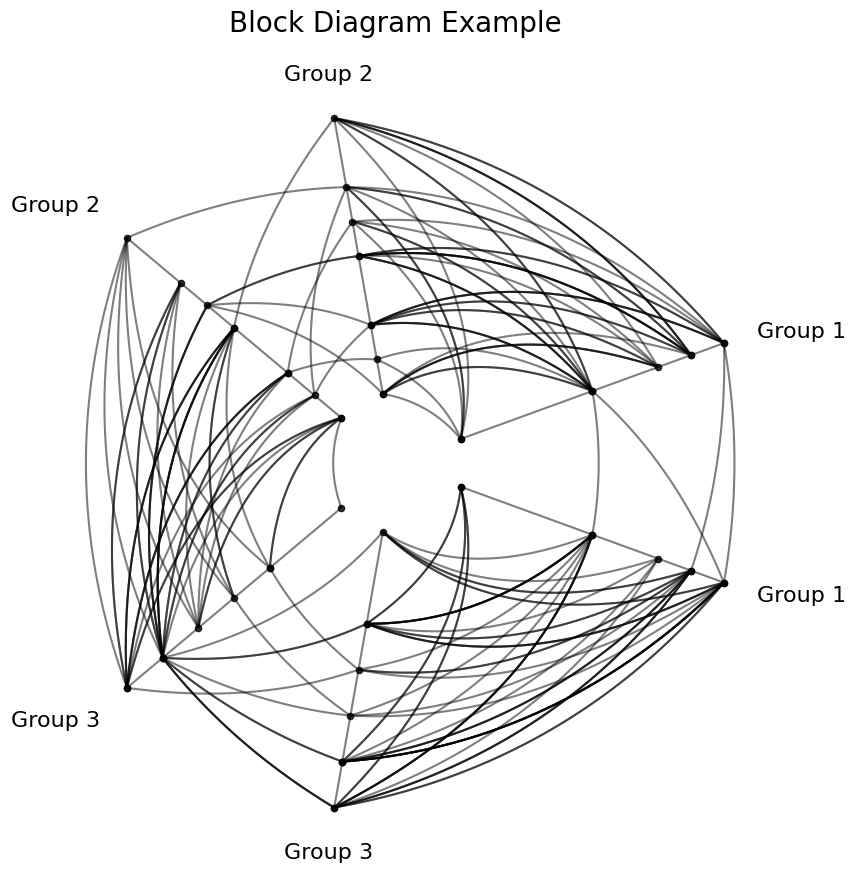
We will use the stochastic block model example, set up and discussed in more detail on the Quick Start Hive Plots page.
[2]:
G = nx.stochastic_block_model(
    sizes=[10, 10, 10],
    p=[
        [0.1, 0.5, 0.5],
        [0.05, 0.1, 0.2],
        [0.05, 0.2, 0.1],
    ],
    directed=True,
    seed=0,
)

nodes, edges = networkx_to_nodes_edges(G)

partition_variable = nodes.create_partition_variable(
    data_column="block",
    cutoffs=3,  # split into our 3 groups
    labels=["Group 1", "Group 2", "Group 3"],
)

base_hp = HivePlot(
    nodes=nodes,
    edges=edges,
    partition_variable=partition_variable,
    sorting_variables="degree",
    node_graph_metrics="degree",  # request degree on init
    repeat_axes=True,
)

fig, ax = base_hp.plot()
ax.set_title("Block Diagram Example", y=1.05, size=20)
plt.show()
Plotting Edge Kwargs#
We can add edge keyword arguments in the plot() visualization function using matplotlib keyword arguments in correspondence with the default matplotlib visualization back end. These will affect all of the edges.
[3]:
base_hp.plot(ls="dotted", color="green");

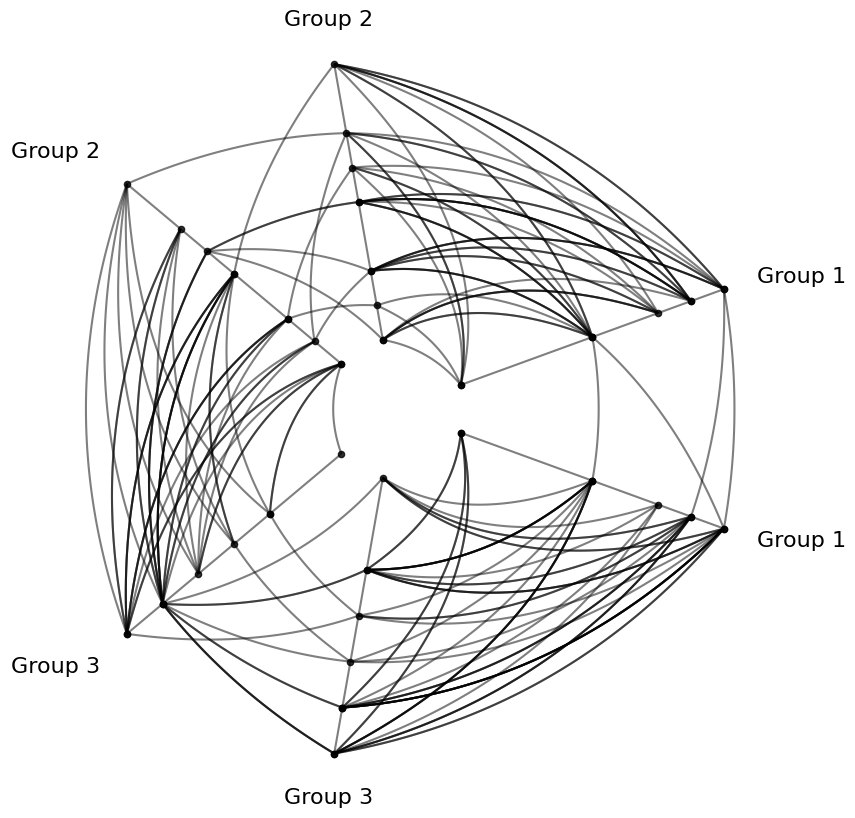
Note that this means of changing kwargs does not preserve the kwargs for future plots.
[4]:
base_hp.plot();
Using Edges Instance Kwargs#
The hiveplotlib.Edges class supports edge visualization kwargs. These are deprioritized relative to all the HivePlot edge kwargs discussed below. For more information, see the Updating Edges Instance Viz Kwargs page.
Setting All Edge Kwargs#
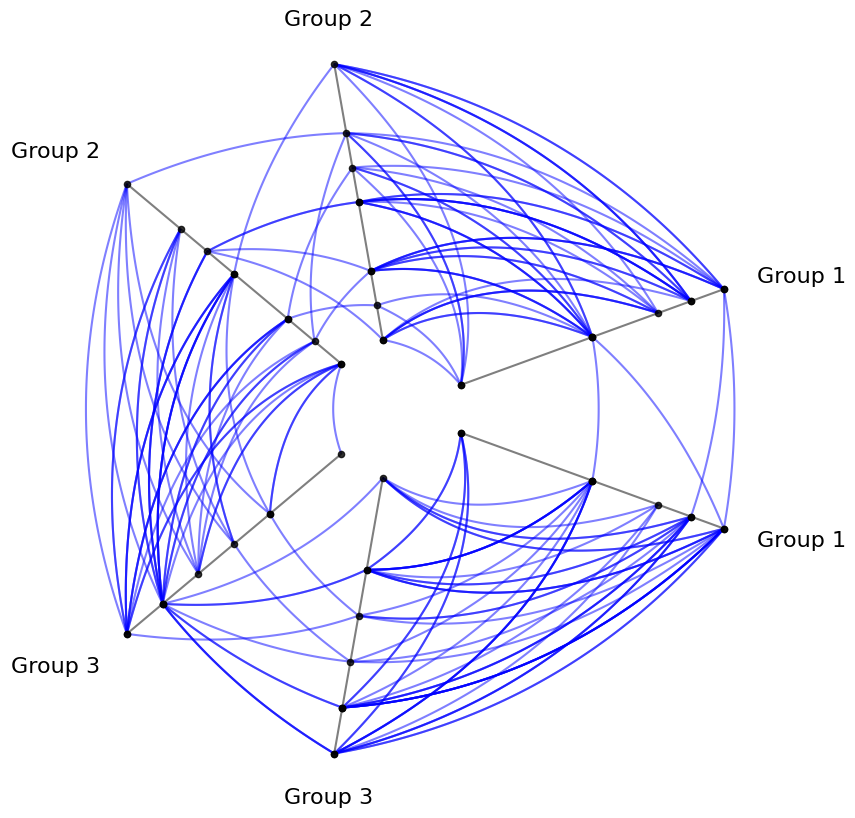
We can change all the edge kwargs on instantiation of a HivePlot through the all_edge_kwargs parameter.
Below, we will instead call the update_edge_plotting_keyword_arguments() method, pointing to the all_edge_kwargs setting to change all the edges from default black to blue.
[5]:
# start from unchanged base hive plot
hp = base_hp.copy()

# update edge colors on existing hp
hp.update_edge_plotting_keyword_arguments(
    edge_kwarg_setting="all_edge_kwargs",
    color="blue",
)
[5]:
{'color': 'blue'}
[6]:
hp.plot();
Setting Intra-Group (Repeat) and Inter-Group (Non-Repeat) Edge Kwargs#
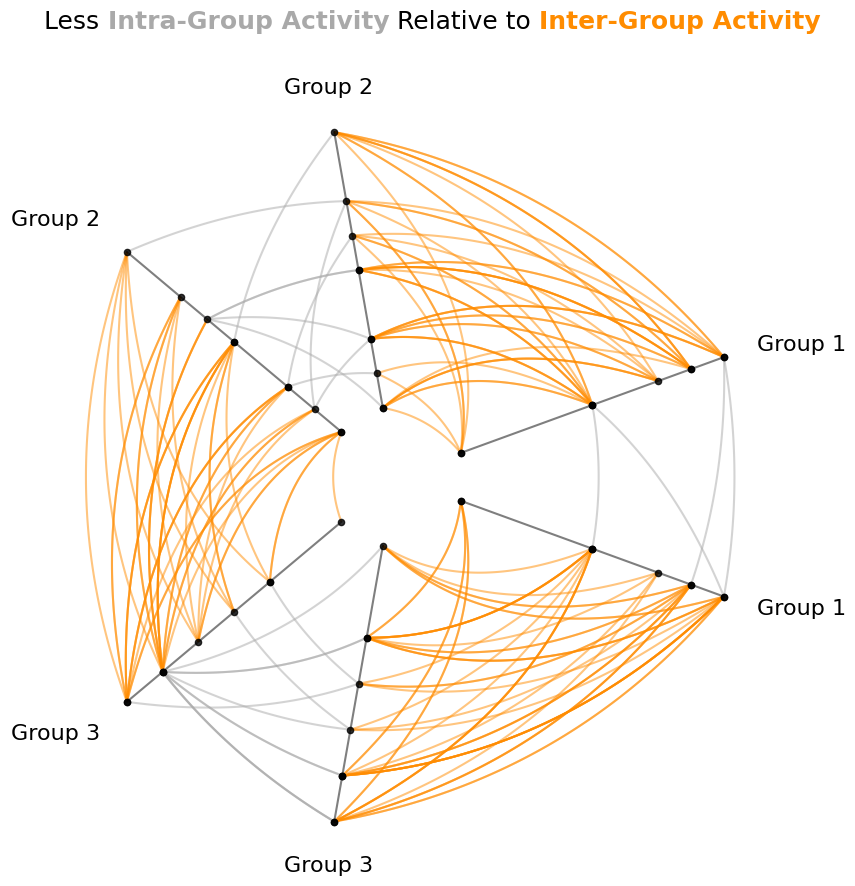
We refer to intra-group edges as “repeat” and inter-group edges “non-repeat” edges because intra-group edges are between one group and a “repeat axis” from the same group.
We can change the intra-group / inter-group edge kwargs on instantiation of a HivePlot through the repeat_edge_kwargs / non_repeat_edge_kwargs parameter.
Below, we will instead call the update_edge_plotting_keyword_arguments() method for an existing HivePlot instance, pointing to the repeat_edge_kwargs setting to change the intra-group edges from default black to gray and the non_repeat_edge_kwargs setting to change the inter-group edges from default black to orange.
[7]:
# start from unchanged base hive plot
hp = base_hp.copy()

# update edge colors
hp.update_edge_plotting_keyword_arguments(
    edge_kwarg_setting="repeat_edge_kwargs",
    color="darkgray",
)
hp.update_edge_plotting_keyword_arguments(
    edge_kwarg_setting="non_repeat_edge_kwargs",
    color="darkorange",
)

fig, ax = hp.plot()

# embed legend in the title
flexitext(
    x=0.55,
    y=0.95,
    s="<size:18>Less <color:darkgray, weight: bold>Intra-Group Activity</> "
    "Relative to <color:darkorange, weight:bold>Inter-Group Activity</></>",
    xycoords="figure fraction",
    ha="center",
)
plt.show()
Setting Clockwise and Counterclockwise Edge Kwargs#
This example contrives some specific asymmetries in the resulting directed graph, but we haven’t seen them in our hive plot visualization so far because we’ve been drawing undirected edges.
In an exploration of directed graphs, one will likely be interested in visualizing directed edges.
Although we could change edge keyword arguments for any directed pair of edges (discussed further below), the quickest way to do this in hiveplotlib is to contrast the styles of edges that are drawn clockwise vs. counterclockwise.
These edges can quickly be modified on instantiation of a HivePlot through the clockwise_edge_kwargs and counterclockwise_edge_kwargs parameters, respectively.
As we were able to do above, however, we will instead call the update_edge_plotting_keyword_arguments() method here.
[8]:
# start from unchanged base hive plot
hp = base_hp.copy()

# update edge colors
hp.update_edge_plotting_keyword_arguments(
    edge_kwarg_setting="clockwise_edge_kwargs", color="royalblue"
)
hp.update_edge_plotting_keyword_arguments(
    edge_kwarg_setting="counterclockwise_edge_kwargs", color="darkorange"
)

fig, ax = hp.plot()

# embed legend in the title
flexitext(
    x=0.55,
    y=0.95,
    s="<size:18><color:royalblue, weight: bold>Clockwise Edges</> vs. "
    "<color:darkorange, weight:bold>Counterclockwise Edges</>\n\n"
    "<weight:bold>Intra-Group Edges</> Are Unaffected</>",
    xycoords="figure fraction",
    ha="center",
)
plt.show()
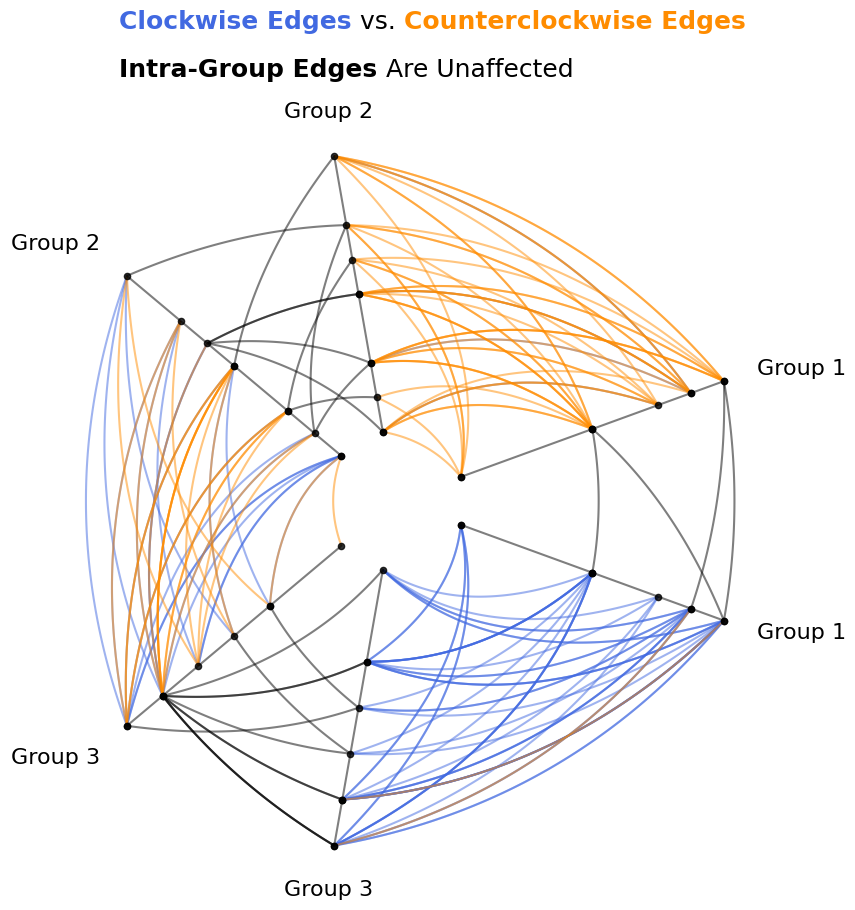
Note here that the intra-group / repeat edges are still the default black. The reason for this is that, even though these edges are also directed, it would be correct to draw these edges clockwise OR counterclockwise, whereas our inter-group edges are well-defined in only one direction by the positioning of our axes.
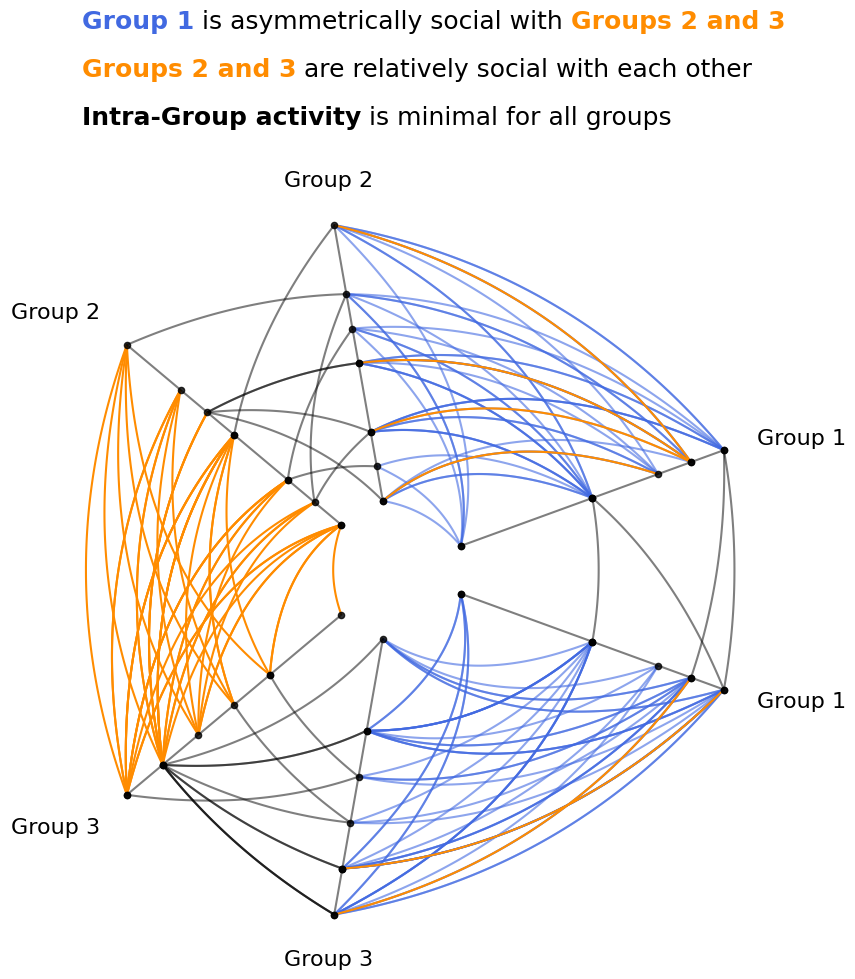
If we were performing an exploratory data analysis, the figure above would have exposed asymmetric behavior involving Group 1. That being said, having now “discovered” this asymmetry, as we turn to a more visually interpretable, explanatory visualization, we can instead revise our color scheme with some custom kwargs to better demonstrate this asymmetry to an audience.
Custom Edge Kwargs Between Partition Groups#
To visually draw out this asymmetric relationship between groups, we will highlight the edges from Group 1 to Groups 2 and 3 differently than the other inter-group edges.
The easiest way to do that will be to modify those edge kwargs directly with the update_edges() method.
Note, since we only want to highlight the relationships from Group 1, we will need to add edge kwargs in a directed manner, which we will do by including p2_to_p1=False, signifying that we are not modifying edges from the specified partition_id_2 to partition_id_1 in the relevant calls below.
We will highlight the edges from Group 1 in blue. We will also use update_edges() to color all of the other inter-group edges orange.
[9]:
# start from unchanged base hive plot
hp = base_hp.copy()

# update Group 1 *from* edges to blue
#  make more transparant (lots of edges)
#  and place these edges *behind* orange edges (zorder)
hp.update_edges(
    partition_id_1="Group 1",
    partition_id_2="Group 2",
    p2_to_p1=False,
    color="royalblue",
    alpha=0.6,
    zorder=-1,
)
hp.update_edges(
    partition_id_1="Group 1",
    partition_id_2="Group 3",
    p2_to_p1=False,
    color="royalblue",
    alpha=0.6,
    zorder=-1,
)

# update Group 1 *to* edges to orange
#  being careful not to override the kwargs on the *from* edges
hp.update_edges(
    partition_id_1="Group 1",
    partition_id_2="Group 2",
    p1_to_p2=False,
    color="darkorange",
    alpha=1,
)
hp.update_edges(
    partition_id_1="Group 1",
    partition_id_2="Group 3",
    p1_to_p2=False,
    color="darkorange",
    alpha=1,
)

# update all edges between Group 2 / Group 3 to orange
hp.update_edges(
    partition_id_1="Group 2",
    partition_id_2="Group 3",
    color="darkorange",
    alpha=1,
)

fig, ax = hp.plot()

# embed legend in the title
flexitext(
    x=0.55,
    y=1.15,
    s="<size:18><color:royalblue, weight: bold>Group 1</> is "
    "asymmetrically social with "
    "<color:darkorange, weight:bold>Groups 2 and 3</>\n\n"
    "<color:darkorange, weight:bold>Groups 2 and 3</> "
    "are relatively social with each other\n\n"
    "<weight:bold>Intra-Group activity</> "
    "is minimal for all groups</>",
    ha="center",
    ax=ax,
)

plt.show()
Overlapping Edge Kwargs and the Edge Kwarg Hierarchy#
When we use all_edge_kwargs, clockwise_edge_kwargs, counterclockwise_edge_kwargs, repeat_edge_kwargs, and non_repeat_edge_kwargs as five separate sources of edge keyword arguments, we set up a means of kwarg overlap, which requires a decision to be made: which edge kwargs take priority?
Below, we create an example of this problem by including color overlapping in several kwargs.
[10]:
# start from unchanged base hive plot
hp_with_warnings = base_hp.copy()

# update all edge colors on existing hp
hp_with_warnings.update_edge_plotting_keyword_arguments(
    edge_kwarg_setting="all_edge_kwargs",
    color="green",
)

# update specific edge colors in conflict with `all_edge_kwargs`
#  (which will trigger warnings)
hp_with_warnings.update_edge_plotting_keyword_arguments(
    edge_kwarg_setting="clockwise_edge_kwargs", color="royalblue"
)
hp_with_warnings.update_edge_plotting_keyword_arguments(
    edge_kwarg_setting="counterclockwise_edge_kwargs", color="darkorange"
)
hp_with_warnings.update_edge_plotting_keyword_arguments(
    edge_kwarg_setting="repeat_edge_kwargs",
    color="darkgray",
)
/home/garyk/repos/hiveplotlib/src/hiveplotlib/hiveplot.py:4041: UserWarning: Repeated kwargs {'color'} detected when setting edge kwargs for clockwise_edge_kwargs. Preserving kwargs according to `edge_kwarg_hierarchy`
  self.__check_for_overlapping_edge_kwargs(
/home/garyk/repos/hiveplotlib/src/hiveplotlib/hiveplot.py:4047: UserWarning: Repeated kwargs {'color'} detected when setting edge kwargs for counterclockwise_edge_kwargs. Preserving kwargs according to `edge_kwarg_hierarchy`
  self.__check_for_overlapping_edge_kwargs(
/home/garyk/repos/hiveplotlib/src/hiveplotlib/hiveplot.py:4052: UserWarning: Repeated kwargs {'color'} detected when setting edge kwargs for repeat_edge_kwargs. Preserving kwargs according to `edge_kwarg_hierarchy`
  repeat_edge_kwargs: dict[str, Any] = self.__check_for_overlapping_edge_kwargs(
[10]:
{'color': 'darkgray'}
After initially setting all_edge_kwargs with a color, we then get a warning for each of the three following attempts to set kwargs due to the overlapping overlapping "color" parameter.
[11]:
fig, ax = hp_with_warnings.plot()

ax.set_title(
    "`all_edge_kwargs` Ignored",
    y=1.1,
    size=20,
)
plt.show()
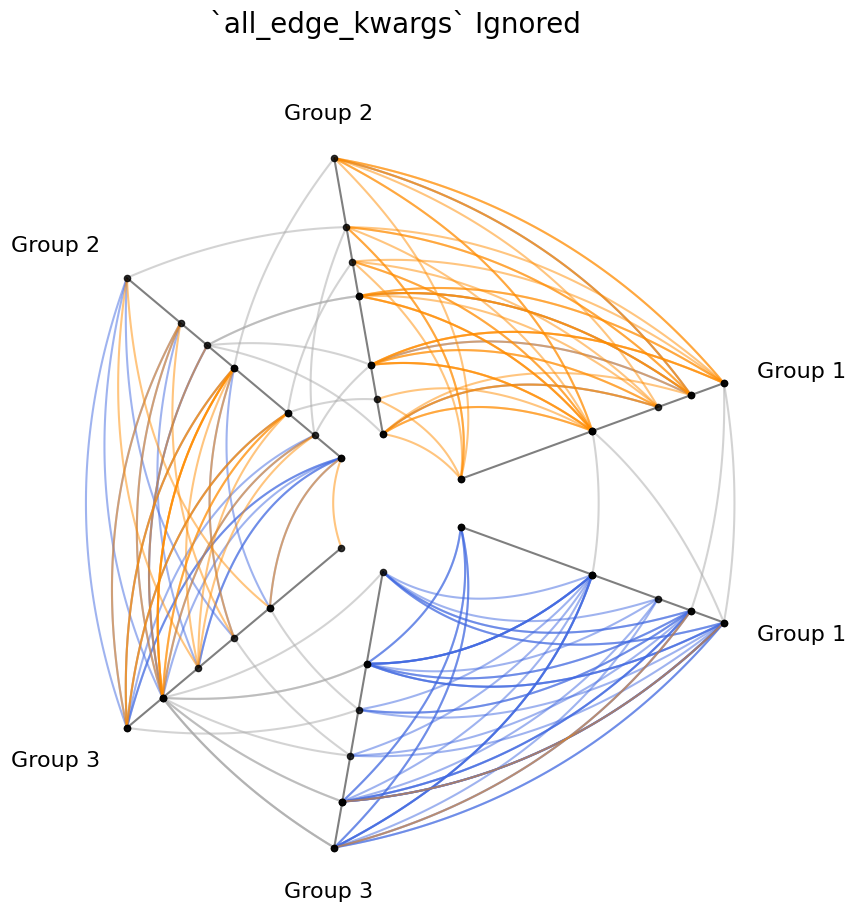
We set the all_edge_kwargs color to "green", yet none of our edges are green, and we see multiple warnings about a conflict of kwargs. What dictates the priority of kwargs?
The HivePlot class maintains an established edge kwarg hierarchy by which these edge kwargs overwrite each other, which is set by the value of the HivePlot.edge_kwarg_hierarchy attribute ordered from least prioritized to most prioritized:
[12]:
hp_with_warnings.edge_kwarg_hierarchy
[12]:
['all_edge_kwargs',
 'clockwise_edge_kwargs',
 'counterclockwise_edge_kwargs',
 'repeat_edge_kwargs',
 'non_repeat_edge_kwargs']
all_edge_kwargs are by default the least prioritized in the hierarchy. As the name suggests, these kwargs will change the kwargs of every edge. A common use case for this would be if one were generating a hive plot with a lot of edges, one may choose to draw all edges with a smaller line width or make the edges more transparent.
clockwise_edge_kwargs, counterclockwise_edge_kwargs, and repeat_edge_kwargs are all equal in the hierarchy, as any combination of these parameters can never affect an overlapping set of edges. Clockwise / counterclockwise edge kwargs offer a quick way to evaluate differences in directed behavior for inter-group edges.
Finally, non_repeat_edge_kwargs is the highest priority in the hierarchy by default, affecting all inter-group edges.
Note, if the kwargs provided to each parameter don’t overlap, no warning will arise.
Changing the Edge Kwarg Hierarchy#
This priority of edge kwargs can be changed by assigning a different list order to the HivePlot.edge_kwarg_hierarchy attribute (again, from least to most prioritized).
[13]:
hp_with_warnings.edge_kwarg_hierarchy = [
    "clockwise_edge_kwargs",
    "counterclockwise_edge_kwargs",
    "repeat_edge_kwargs",
    "non_repeat_edge_kwargs",
    "all_edge_kwargs",
]
hp_with_warnings.edge_kwarg_hierarchy
[13]:
['clockwise_edge_kwargs',
 'counterclockwise_edge_kwargs',
 'repeat_edge_kwargs',
 'non_repeat_edge_kwargs',
 'all_edge_kwargs']
Now that all_edge_kwargs are the highest priority, the previous hive plot will now plot with all green edges.
[14]:
hp_with_warnings.plot();
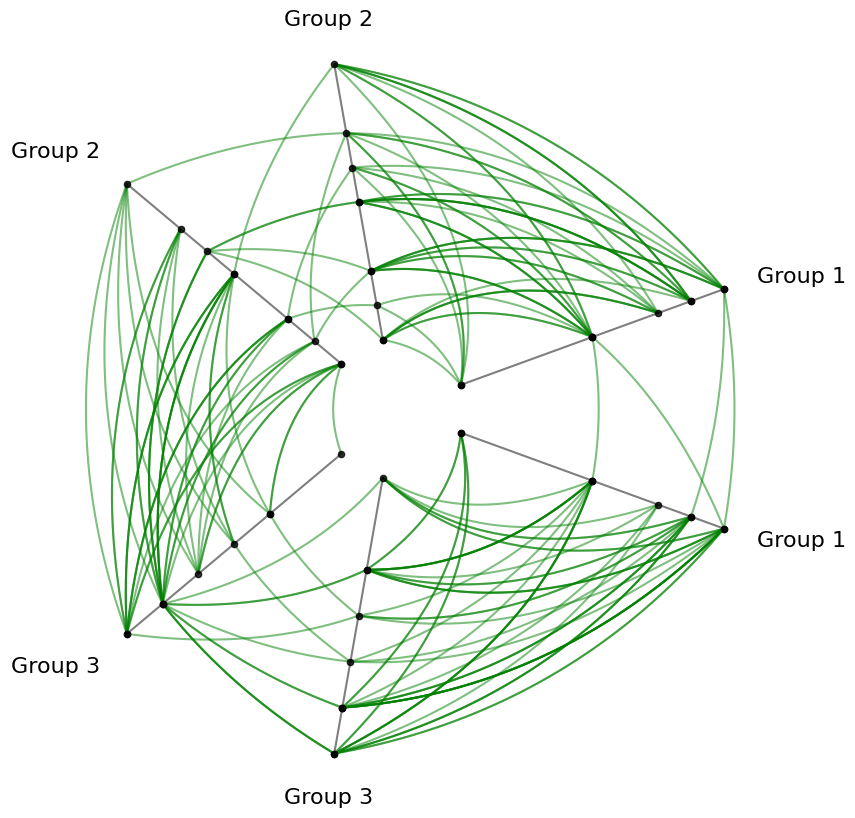
Note, when changing the edge kwarg hierarchy, all 5 kwarg options must be provided, or an InvalidEdgeKwargHierarchyError will be raised.
[15]:
from hiveplotlib.exceptions import InvalidEdgeKwargHierarchyError

try:
    hp_with_warnings.edge_kwarg_hierarchy = [
        "an",
        "invalid",
        "edge",
        "kwarg",
        "hierarchy",
    ]
except InvalidEdgeKwargHierarchyError as e:
    print(e)
Invalid provided `order` to `HivePlot.edge_kwarg_hierarchy`.
All of the following values must be provided exactly once:
['all_edge_kwargs', 'clockwise_edge_kwargs', 'counterclockwise_edge_kwargs', 'repeat_edge_kwargs', 'non_repeat_edge_kwargs']
Overwriting Kwargs Between Partition Group Pairs#
Users can change kwargs between any pair of groups from the partition of an existing HivePlot instance through the update_edges() method.
Since this is explicitly called by the user, hiveplotlib trusts the user is sure about overwriting kwargs in this way, and thus does so without any warnings, even if these kwargs overlap any of the kwargs specified amongst the edge kwarg hierarchy.
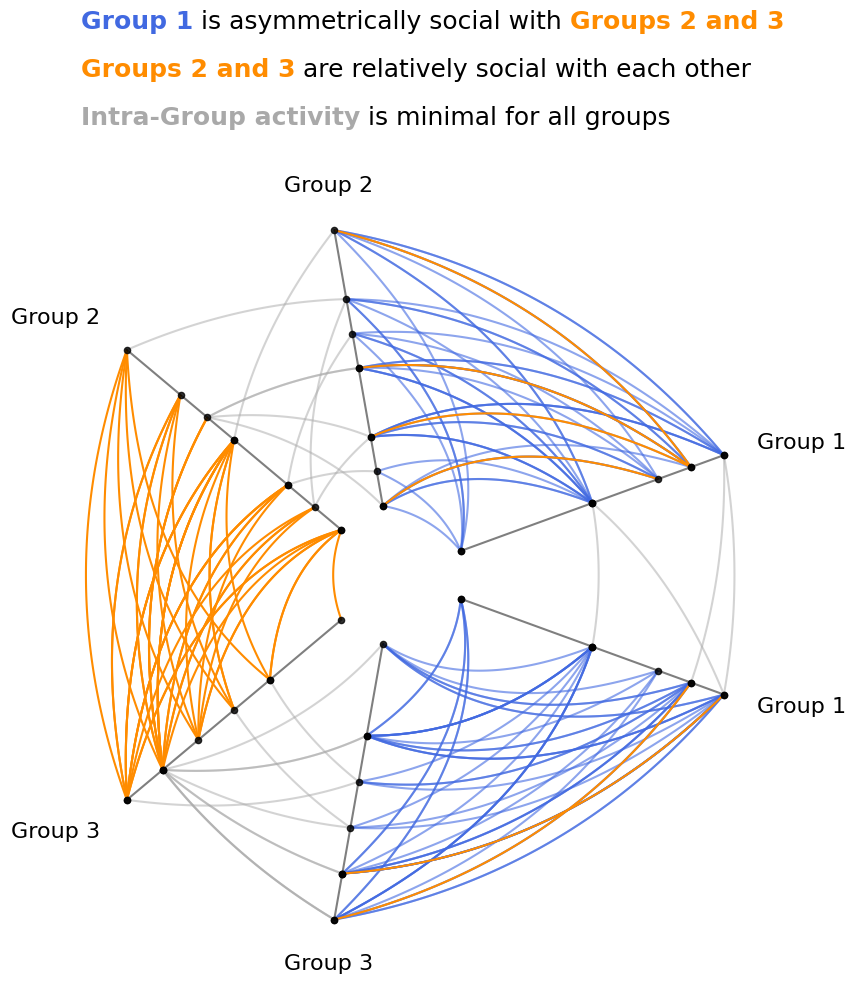
In the stochastic block model example we’ve been using, we want to disentangle:
Intra-group vs inter-group edges
Inter-group edges coming from Group 1 vs all other inter-group edges
For intra-group vs inter-group edges, we will set the non_repeat_edge_kwargs color to orange and the repeat_edge_kwargs color to gray.
Then, to single out inter-group edges coming from Group 1 to the other inter-group edges, we will explictly overwrite those specific edges to blue with the update_edges() method, which runs without warning as expected.
[16]:
# start from unchanged base hive plot
hp = base_hp.copy()

# distinguish repeat edges from non-repeat edges
hp.update_edge_plotting_keyword_arguments(
    edge_kwarg_setting="repeat_edge_kwargs",
    color="darkgray",
)
#  make more opaque (will eventually be a small number of edges)
hp.update_edge_plotting_keyword_arguments(
    edge_kwarg_setting="non_repeat_edge_kwargs",
    color="darkorange",
    alpha=1,
)

# make all the edges of interest blue (C0)
#  make more transparant (lots of edges)
#  and place these edges *behind* orange edges (zorder)
hp.update_edges(
    partition_id_1="Group 1",
    partition_id_2="Group 2",
    p2_to_p1=False,
    color="royalblue",
    alpha=0.6,
    zorder=-1,
)
hp.update_edges(
    partition_id_1="Group 1",
    partition_id_2="Group 3",
    p2_to_p1=False,
    color="royalblue",
    alpha=0.6,
    zorder=-1,
)

fig, ax = hp.plot()

# embed legend in the title
flexitext(
    x=0.55,
    y=1.0,
    s="<size:18><color:royalblue, weight: bold>Group 1</> is "
    "asymmetrically social with "
    "<color:darkorange, weight:bold>Groups 2 and 3</>\n\n"
    "<color:darkorange, weight:bold>Groups 2 and 3</> "
    "are relatively social with each other\n\n"
    "<color:darkgray, weight:bold>Intra-Group activity</> "
    "is minimal for all groups</>",
    xycoords="figure fraction",
    ha="center",
)
plt.show()
Overlapping Edge Kwargs from plot() Call#
Where do the edge kwargs from the HivePlot.plot() fit in relative to this hierarchy?
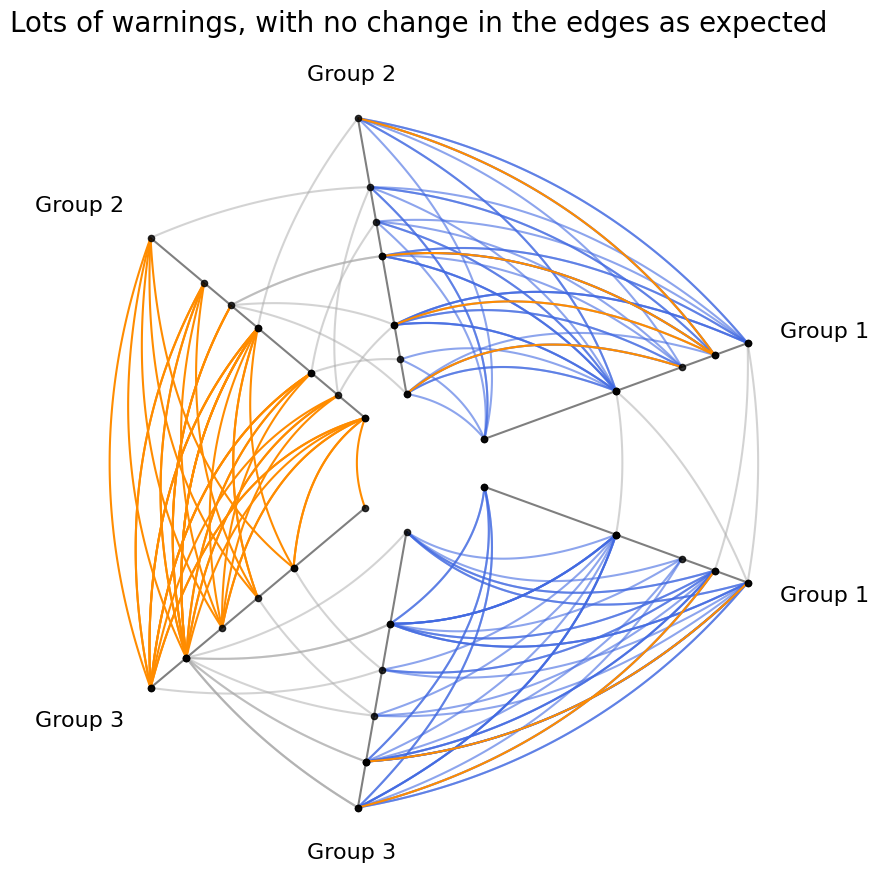
These kwargs are always deprioritized relative to any formally set kwargs.
Let’s demonstrate this deprioritized behavior with the previous figure, where we have already modified the color of every edge.
Below, when trying to passively modify all of the edge colors in the viz call, we will trigger warnings for every set of plotted edges (i.e. between every pair of partition groups, and in each direction), with a note in each warning that our request for a color change has been ignored.
[17]:
fig, ax = hp.plot(color="black")

ax.set_title(
    "Lots of warnings, with no change in the edges as expected",
    size=20,
    y=1.05,
)

plt.show()
/home/garyk/repos/hiveplotlib/src/hiveplotlib/viz/matplotlib.py:624: UserWarning: Specified kwarg 'color' but already set as kwarg for edge tag 0 going from edges Group 2 to Group 1_repeat. Preserving kwargs already set.
(These kwargs can be changed using the `update_edges()` method for your `HivePlot` instance)
  edge_viz(
/home/garyk/repos/hiveplotlib/src/hiveplotlib/viz/matplotlib.py:624: UserWarning: Specified kwarg 'color' but already set as kwarg for edge tag 0 going from edges Group 2 to Group 2_repeat. Preserving kwargs already set.
(These kwargs can be changed using the `update_edges()` method for your `HivePlot` instance)
  edge_viz(
/home/garyk/repos/hiveplotlib/src/hiveplotlib/viz/matplotlib.py:624: UserWarning: Specified kwarg 'color' but already set as kwarg for edge tag 0 going from edges Group 1_repeat to Group 2. Preserving kwargs already set.
(These kwargs can be changed using the `update_edges()` method for your `HivePlot` instance)
  edge_viz(
/home/garyk/repos/hiveplotlib/src/hiveplotlib/viz/matplotlib.py:624: UserWarning: Specified kwarg 'color' but already set as kwarg for edge tag 0 going from edges Group 3 to Group 2_repeat. Preserving kwargs already set.
(These kwargs can be changed using the `update_edges()` method for your `HivePlot` instance)
  edge_viz(
/home/garyk/repos/hiveplotlib/src/hiveplotlib/viz/matplotlib.py:624: UserWarning: Specified kwarg 'color' but already set as kwarg for edge tag 0 going from edges Group 3 to Group 3_repeat. Preserving kwargs already set.
(These kwargs can be changed using the `update_edges()` method for your `HivePlot` instance)
  edge_viz(
/home/garyk/repos/hiveplotlib/src/hiveplotlib/viz/matplotlib.py:624: UserWarning: Specified kwarg 'color' but already set as kwarg for edge tag 0 going from edges Group 2_repeat to Group 3. Preserving kwargs already set.
(These kwargs can be changed using the `update_edges()` method for your `HivePlot` instance)
  edge_viz(
/home/garyk/repos/hiveplotlib/src/hiveplotlib/viz/matplotlib.py:624: UserWarning: Specified kwarg 'color' but already set as kwarg for edge tag 0 going from edges Group 1 to Group 3_repeat. Preserving kwargs already set.
(These kwargs can be changed using the `update_edges()` method for your `HivePlot` instance)
  edge_viz(
/home/garyk/repos/hiveplotlib/src/hiveplotlib/viz/matplotlib.py:624: UserWarning: Specified kwarg 'color' but already set as kwarg for edge tag 0 going from edges Group 1 to Group 1_repeat. Preserving kwargs already set.
(These kwargs can be changed using the `update_edges()` method for your `HivePlot` instance)
  edge_viz(
/home/garyk/repos/hiveplotlib/src/hiveplotlib/viz/matplotlib.py:624: UserWarning: Specified kwarg 'color' but already set as kwarg for edge tag 0 going from edges Group 3_repeat to Group 1. Preserving kwargs already set.
(These kwargs can be changed using the `update_edges()` method for your `HivePlot` instance)
  edge_viz(
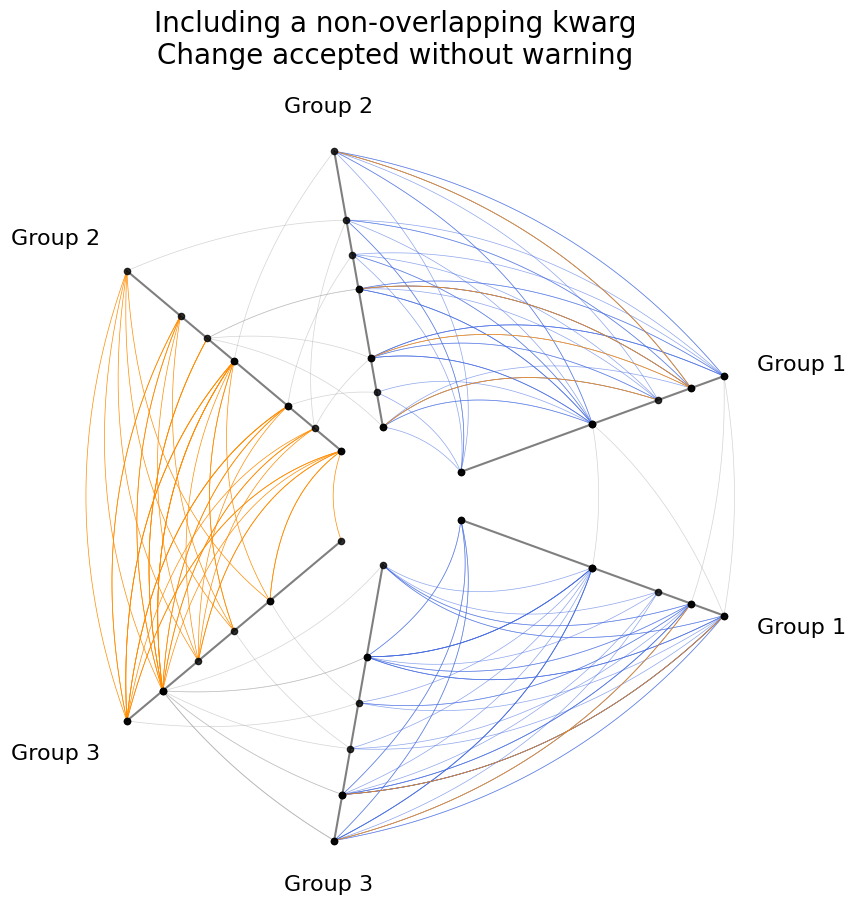
We could, however, still change a kwarg that is independent of any previously set kwargs, resulting in a change in the final figure without triggering any warnings:
[18]:
fig, ax = hp.plot(lw=0.5)

ax.set_title(
    "Including a non-overlapping kwarg\nChange accepted without warning",
    size=20,
    y=1.05,
)

plt.show()
Using Edge Metadata#
For more on using edge metadata to modify edges, see the Visualizing Edge Metadata page.